five things that make a perfectly good typewriter seem dead on arrival
There's a particular pang of panic that sets in when you bring home an old typewriter... and discover that it doesn't immediately behave the way it ought to. You put a piece of paper in it, tentatively touch a lever or two, press a few keys, and something doesn't happen.
Within five minutes, you've arrived at the obvious conclusion, the typewriter is broken.
And maybe it is. I deal with broken typewriters all day long, after all. They're machines, some of them are a hundred years old, and I make at least part of my living fixing the things that go wrong with them.
But there are also a handful of extremely common things that happen with old typewriters that feel like mechanical failures before you really know what you're looking at. They're easily solvable little puzzles.
So if you're a beginner, let this guide serve as reassurance.
1. The carriage won't move
This is definitely the classic error.
You press a key and nothing happens. It feels like the entire unit is jammed up tight. You try moving the carriage by hand and it won't go anywhere. Clearly something has seized, snapped, fallen off, or otherwise given up after seventy years of faithful service.
Before you get there, check the margins, friemd.
THe margins on a manual typewriter work as physical stops. If somebody has moved both of them toward the middle of the carriage, the carriage may have very little room to travel, or seemingly none at all. Make sure they're actually set somewhere within a sensible range and see whether that gives you movement.

Then check the carriage lock.
Now, I'm deliberately not going to tell you where the carriage lock is, because typewriter manufacturers ostensibly spent decades competing to see who could hide one in the strangest possible location. Sometimes there's a lever on or near the keyboard. Sometimes a tab sticks out underneath the carriage on the right or left side. Sometimes the lever underneath the typewriter toward the back of the machine.
If you don't immediately see it, don't start pulling on things until something moves. Look up your specific make and model and find out where the carriage lock actually is. By this point, someone else has struggled with the same model of typewriter that you are, and they've uploaded a how-to video on YouTube.
The important part is, a carriage that won't move does not automatically mean a broken escapement, a bad mainspring, or some other expensive mechanical calamity. Sometimes the machine is simply locked, which is rather what the lock was designed to accomplish.
2. It stops typing halfway across the page
This one is closely related.
The machine types beautifully for a few inches and then suddenly stops. The carriage won't advance. You can keep pressing keys, but you're going nowhere.
Again, please check the margins.
In particular, look at the right margin. If it's sitting somewhere around the middle of the page, the machine is only doing exactly what it was designed to do. Move the margin farther to the right and see what happens.
If you've checked the margin and checked the carriage lock, and the carriage still doesn't want to move freely, we're getting into territory where the machine may need some attention. But even then, that doesn't necessarily mean something is broken.

Old typewriters accumulate things. Dust. Eraser shavings. Tobacco fibers or residue. Old oil. New oil somebody added to the old oil. WD-40 like icing on the cake. All of that can eventually become a surprisingly effective adhesive.
An awful lot of bad shit can be undone through the careful application of mineral spirits and, in the appropriate places and ever-so sparingly, something like Lily White oil. A carriage that's sluggish or stuck may simply have residue preventing parts from moving freely.
At that point, if you don't know what you're looking at, I'd rather see you take it to somebody who does than start experimenting. But "this needs to be cleaned and serviced" and "this typewriter is broken" are two very different diagnoses.
3. The ribbon doesn't print, or only prints one color
This one can send you surprisingly far down the wrong rabbit hole. You press the keys. The typebars move. They hit the paper. Nothing appears.
Before you diagnose a ribbon vibrator problem, find the color selector.
Most typewriters that accept a two-color ribbon have some version of a black/red selector. Many also have a third position, stencil. The stencil setting is designed specifically to keep the ribbon out of the way so the typebars can strike directly against a stencil.
Which means that if the machine is set to stencil, you can type all day long if you wanna and wonder why the ribbon isn't coming up.
This is one of those tiny, easy-to-miss controls that can make an otherwise functioning typewriter appear completely useless. Find the selector, put it on black or red, and try again.
If you've still got trouble, check the ribbon itself. Is it completely dried out? Is it installed in the correct direction? Is it threaded properly through the ribbon vibrator?
This is a further place where I hesitate to give universal instructions, because ribbon systems vary wildly between machines.
Sometimes the ribbon goes backward before it goes forward. Sometimes it goes forward before it goes backward. Sometimes you simply drop it into a notch. Sometimes there's a little mechanical opening that lets you move a guide, slip the ribbon into place, and close it again. Then there are the little arms or forks that control ribbon direction and reversal, which may or may not have been threaded correctly by the last person who touched the machine.

Plus, the people selling old typewriters improvise. A lot.
I've opened machines and found ribbons routed in ways that display considerable creativity and astonishingly little relationship to the way the manufacturer intended them to work.
So before you decide that the ribbon mechanism is broken, check the color selector, check for a stencil setting, check the direction of the ribbon, check the threading through the vibrator and reversal mechanism, and make sure the ribbon itself isn't simply dead.
4. The carriage moves, but the paper doesn't
Here's another one that can look dramatic but is in fact almost embarrassingly simple.
You turn the platen knob and the paper doesn't feed properly. Or the platen seems to turn without actually gripping the sheet. Or the paper slides around freely enough that you assume either the platen is glossed to unusability or something inside the machine has stopped engaging.
How many times early on did I have to remind myself, dude, check the paper-release lever.
That lever exists specifically to release the pressure holding the paper against the platen so you can straighten or reposition the sheet. If it's been flipped accidentally (or somebody flipped it before you bought the machine) the platen can turn while the paper sits there doing whatever it pleases.
Close the paper release and try again.
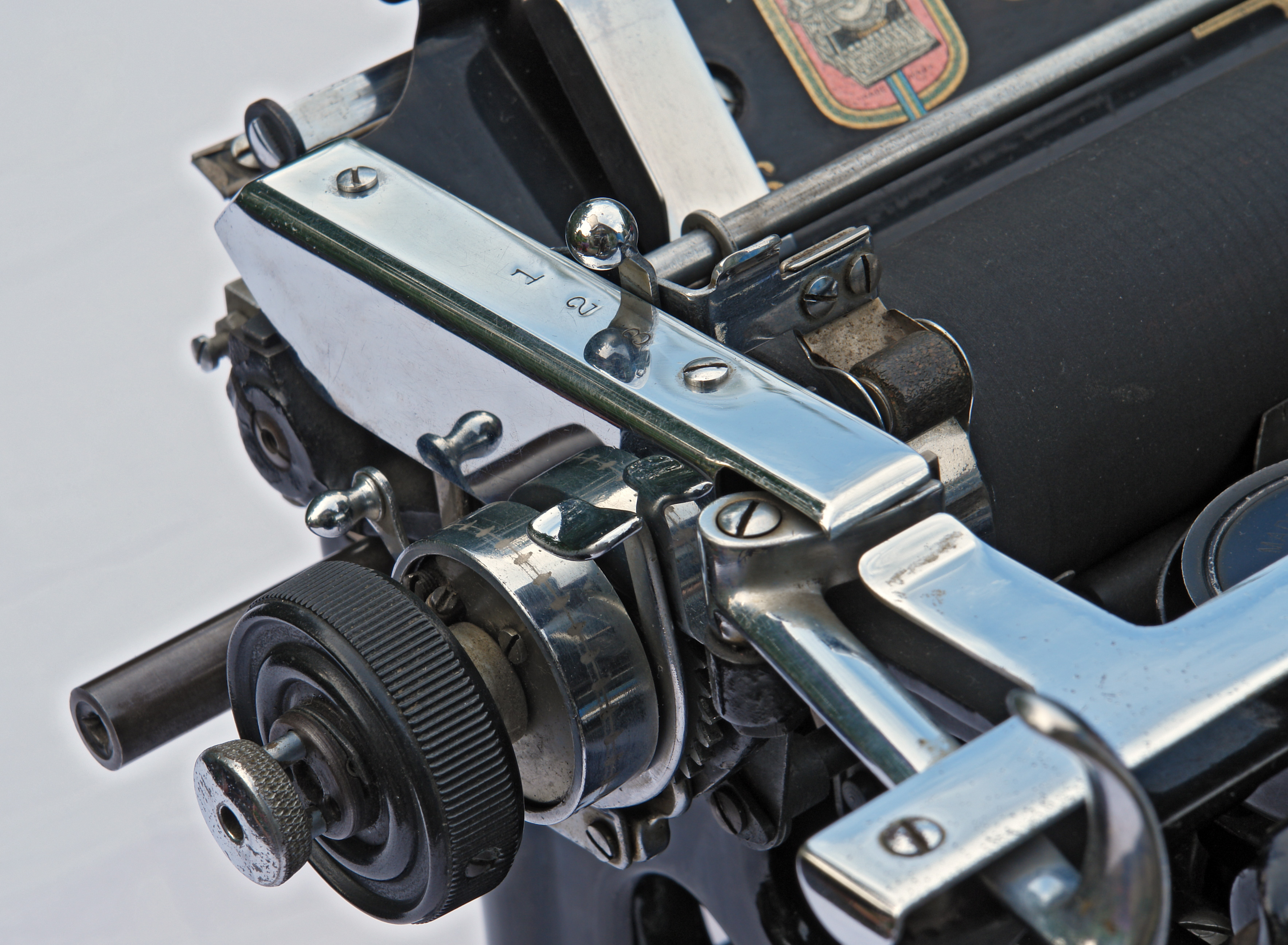
Also check the line-spacing controls and, on machines equipped with one, the variable line-spacing release. Variable spacing lets the platen rotate freely rather than clicking through its normal line-spacing increments. That's useful when you're trying to position text precisely. It's rather less useful when you don't know you've turned it on.
And once again, the machine may not be failing. It may simply be doing exactly what one of its controls is telling it to do.
5. The keys won't make it to the paper
I'm certain this is the commonest complaint when it comes to old typewriters.
You press a key and the typebar comes halfway up. Maybe it crawls toward the paper and stops. Maybe it barely moves at all. You try another key. Same thing. Then another. Eventually you attempt a whole sentence and realize that half the typebars aren't even making it to the ribbon, much less leaving an impression on the paper.
At this point, the typewriter certainly feels broken.
And yes, there are mechanical problems that can cause this behavior. But very often what you're looking at is a dirty, gummed-up segment. That's all.
The segment is the slotted piece through which the typebars travel and, importantly, where they pivot. Decades of accumulated grime, residue, and old lubricant can make those pivots increasingly reluctant to move. Eventually the keys start sticking badly enough that the typebars simply don't have enough momentum to reach the platen.

This is where an intrepid typewriter-mechanic-in-training frequently arrives with a can of WD-40.
Please don't do that, ever. It is a pet peeve of mine.
Adding a penetrating oil to a mechanism already packed with old oil and dirt does not somehow cause the old oil and dirt to disappear. At best, you've temporarily changed the consistency of the mess. At worst, you've added another substance that somebody eventually has to clean out.
The solution to a dirty segment is cleaning the segment, not lubricating it into submission.
And please, don't force the keys. Don't grab the typebars and start bending things because they seem "out of alignment." That's how a straightforward cleaning job becomes an actual repair.
Some typewriters really are broken

I don't want to give the opposite impression here.
Sometimes the drawband is broken. Sometimes a spring has snapped. Sometimes the escapement has a genuine problem. Sometimes somebody dropped the machine in 1984, put it back in its case, and decided that this was a problem for a future generation.
Parts wear out. Things bend. Screws disappear. Previous owners make interesting decisions.
But there's an important distinction between something is wrong with this typewriter and I don't yet know what this control does.
If you've never used a manual typewriter before, you're interacting with a machine built around a whole collection of mechanical conventions that used to be common knowledge and now aren't. Carriage locks, physical margin stops, ribbon selectors, stencil settings, paper releases, ribbon reversers... it strikes me that none of these things are particularly intuitive if you've never encountered them before.
So when you bring home an old machine and something doesn't work, resist the temptation to immediately pronounce it dead.
Look at what the controls are telling you. Find the manual online. Search the model. Check the simple things first.
And for God's sake, put down the WD-40.